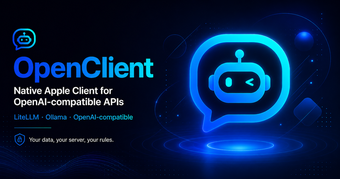
MCP-capable native AI chat client for Apple users
openclient-llm, developed by Artcc, is a native client for interacting with large language models on Apple devices, designed for privacy-conscious users. The app connects directly to LLM backends and supports tool-augmented workflows via the Model Context Protocol, enabling multimodal attachments, branching conversations, and persistent local memory. It offers full conversation history, search, pins, tags, iCloud sync, and system integrations such as Shortcuts and widgets, targeting developers and power users who require granular control over model connections and workflows.
What tasks can you actually use it for?
As a native client, the app generates conversational outputs from configured LLMs and connects those responses to external tools via MCP. Typical tasks include drafting, summarizing, code snippets, and multimodal annotations where images or documents are attached. Supported backends include:
- OpenAI
- Ollama
- LiteLLM
How accurate are the outputs and how much control do you have?
The app produces responses based on the connected model, so output fidelity depends on the selected backend and prompt quality rather than the client itself. A local 'Memory' lets the model recall user facts and preferences to bias future replies. Users control model choice through their own API keys or local servers, which gives practical control over tone and factuality by selecting and testing target models directly.
Is it easy to integrate into existing Apple workflows?
The app integrates with system features for practical workflows, offering Shortcuts, widgets, and a macOS menu-bar companion to trigger conversations from desktop or automation routines. Conversation organization includes search, pins, tags, and branching that maps to iterative workflows. Some integrations, specifically tool-augmented MCP features, require a host environment and basic configuration, so achieving full capabilities needs modest technical setup by the user or administrator.
A workflow-first recommendation for technically minded users
The app suits users comfortable with configuring and validating AI workflows; expect to allocate time for testing prompts and establishing verification routines before trusting outputs. Adopt prompt libraries, automated test cases, and a lightweight review step to keep results consistent. Casual users who prefer immediate, hands-off results may find the necessary setup less convenient. With that discipline, organizations can integrate outputs into existing review cycles with predictable behavior.